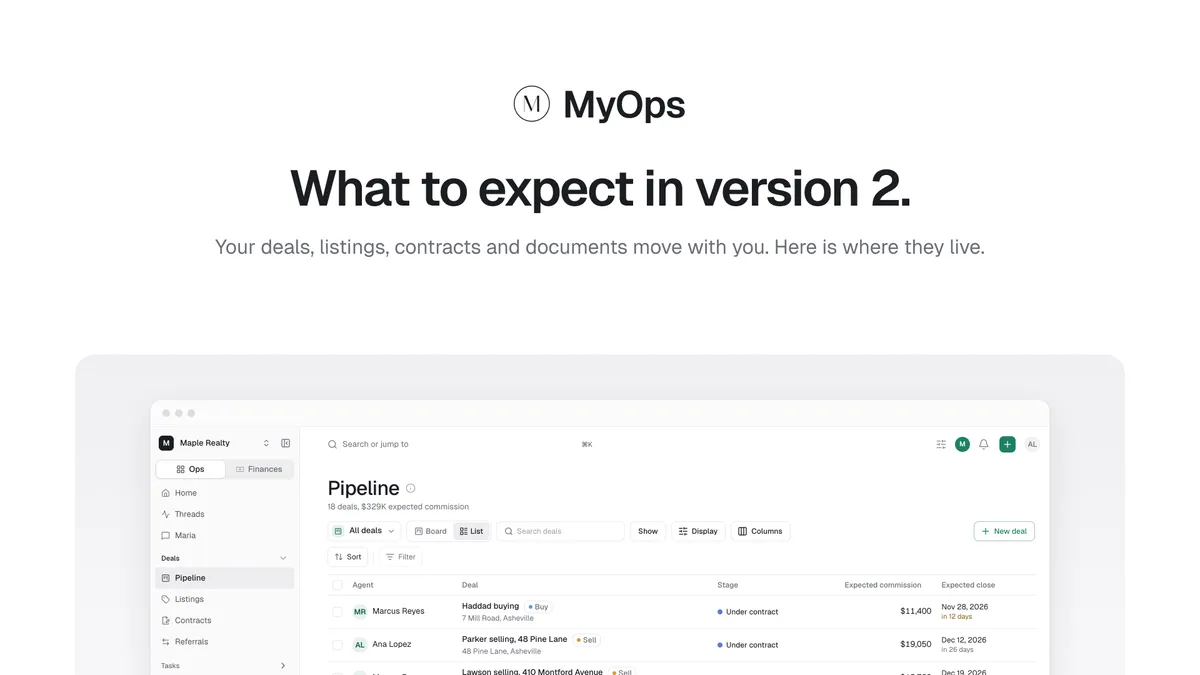
MyOps 2.0 is almost here, and we want you to know exactly what to expect. Over the coming weeks we’ll move every team onto our upgraded platform. Your team may have a short maintenance window while it moves, and a Migration Assistant will help you tidy up what comes over. Our team is ready to support you through the whole move, and you’ll get a few emails and notifications from us along the way.
In this post
-
What the move looks like
-
Before your move
-
What’s changing: deals, docs, Maria and the new iPhone app
-
Get a head start with the 2.0 help docs
What the move looks like
-
A maintenance window. We move teams over a short planned window. We’ll email you the time ahead of it. MyOps may be unavailable for part of it.
-
Signing in. You’ll use the same email. Before your move, we’ll let you know exactly how signing in to the new MyOps works and how to get there from the old one.
-
The Migration Assistant. When you first sign in, a short assistant helps you tidy up what came over:
-
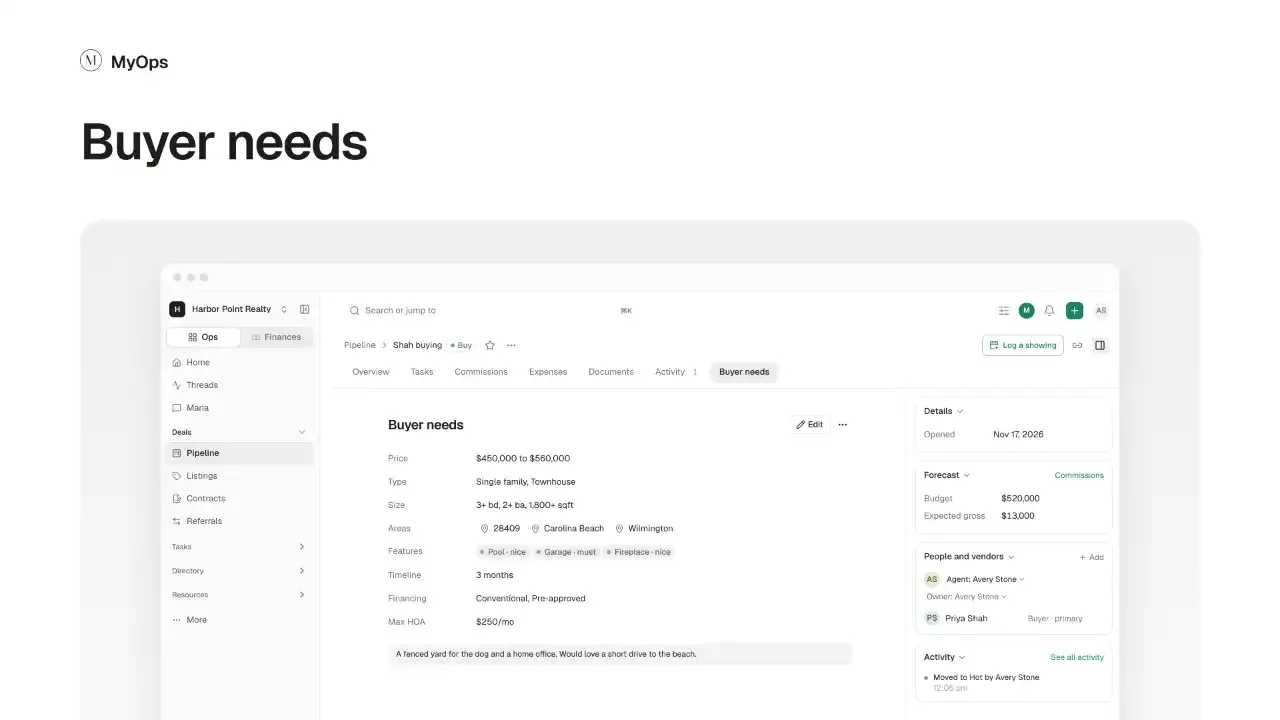
Turn buyer needs into deals.
-
Remove the ones you don’t want to keep, so you start with a clean list.
-
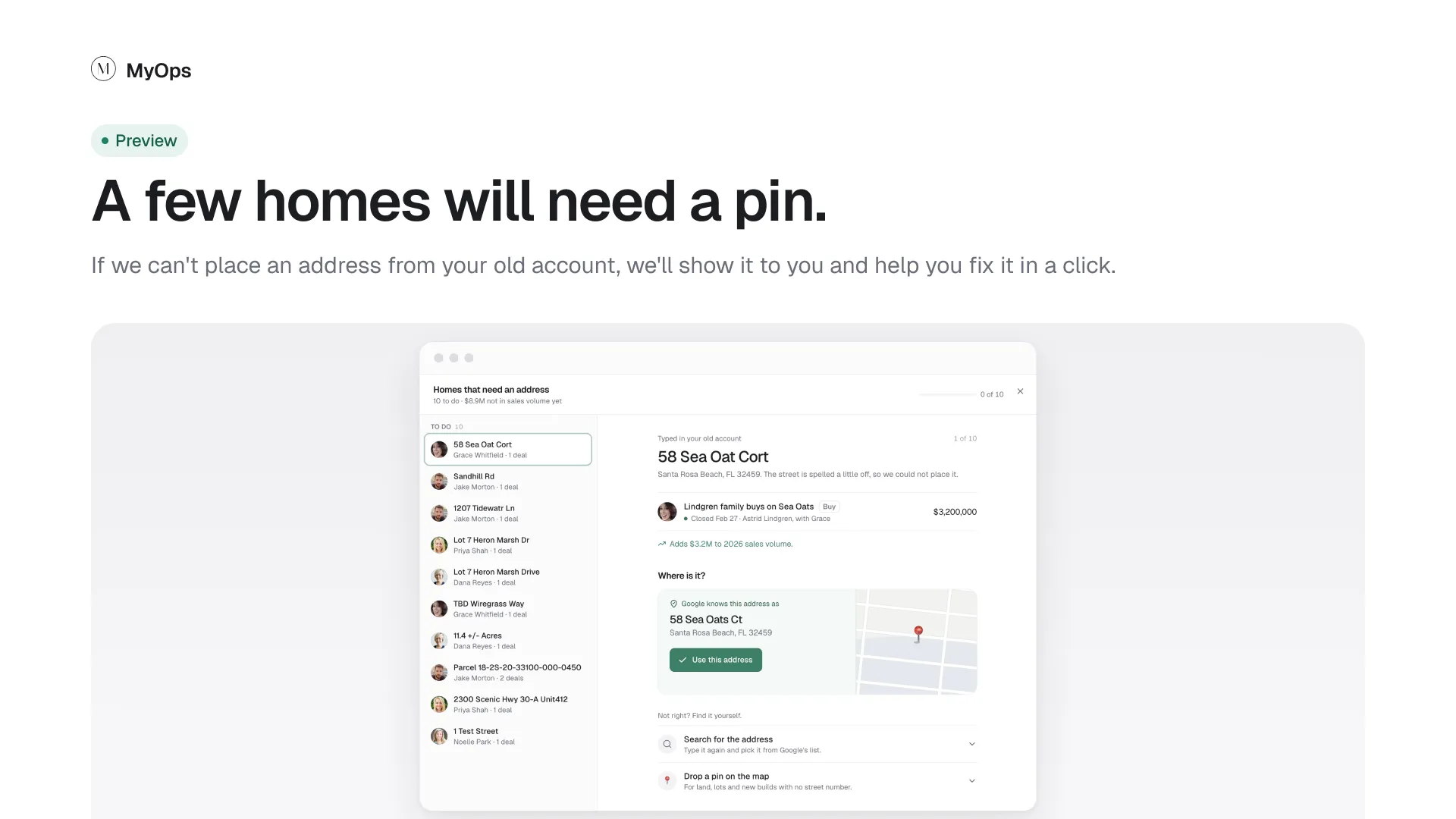
Give lots and homes without a full street address a proper address and a pin on the map, so they count in your numbers.
-
Before your move
A few things you can do in MyOps now mean less to fix after the move:
-
Add commission splits to closed deals that are missing them. MyOps already flags these for you.
-
Give lots and homes a full street address where you have one.
-
Delete buyer needs from the list view you no longer work, so only the real ones become deals.
Everything lives on the deal
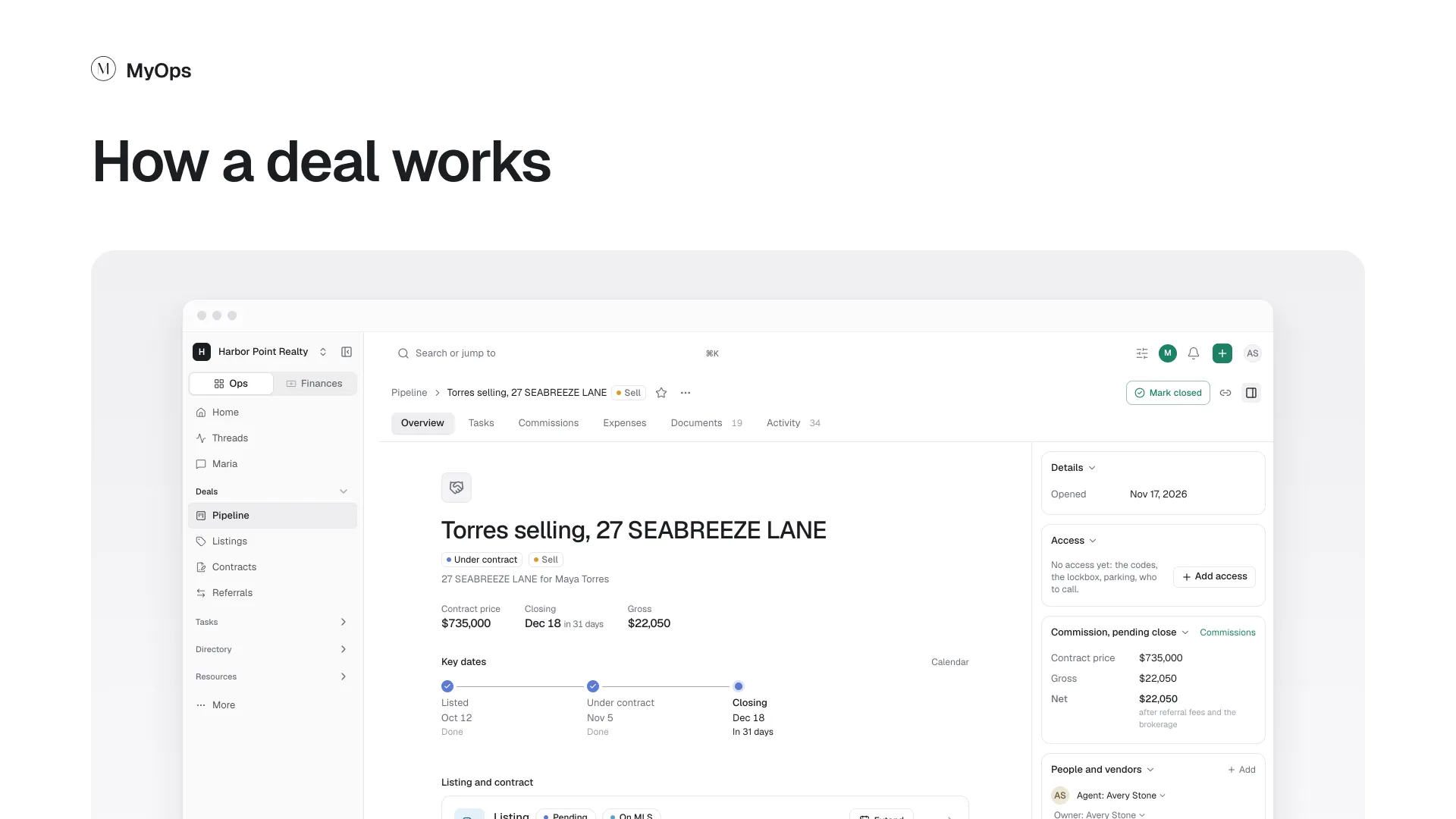
In 2.0, a deal holds everything about one piece of business in one record. It starts with the first conversation, well before there’s a listing or a contract, and goes all the way through closing.
-
Buyer needs become deals, so you can follow a buyer from what they’re looking for to the home they buy.
-
Stages your team names cover the early steps before a listing or contract, then the deal moves forward with the real paperwork.
-
The people, the property, the listing, the contract, photos, checklists and tasks all sit on the deal.
-
Commission splits sit on the deal too, so the money is right next to the work.
Your docs and notes in one place
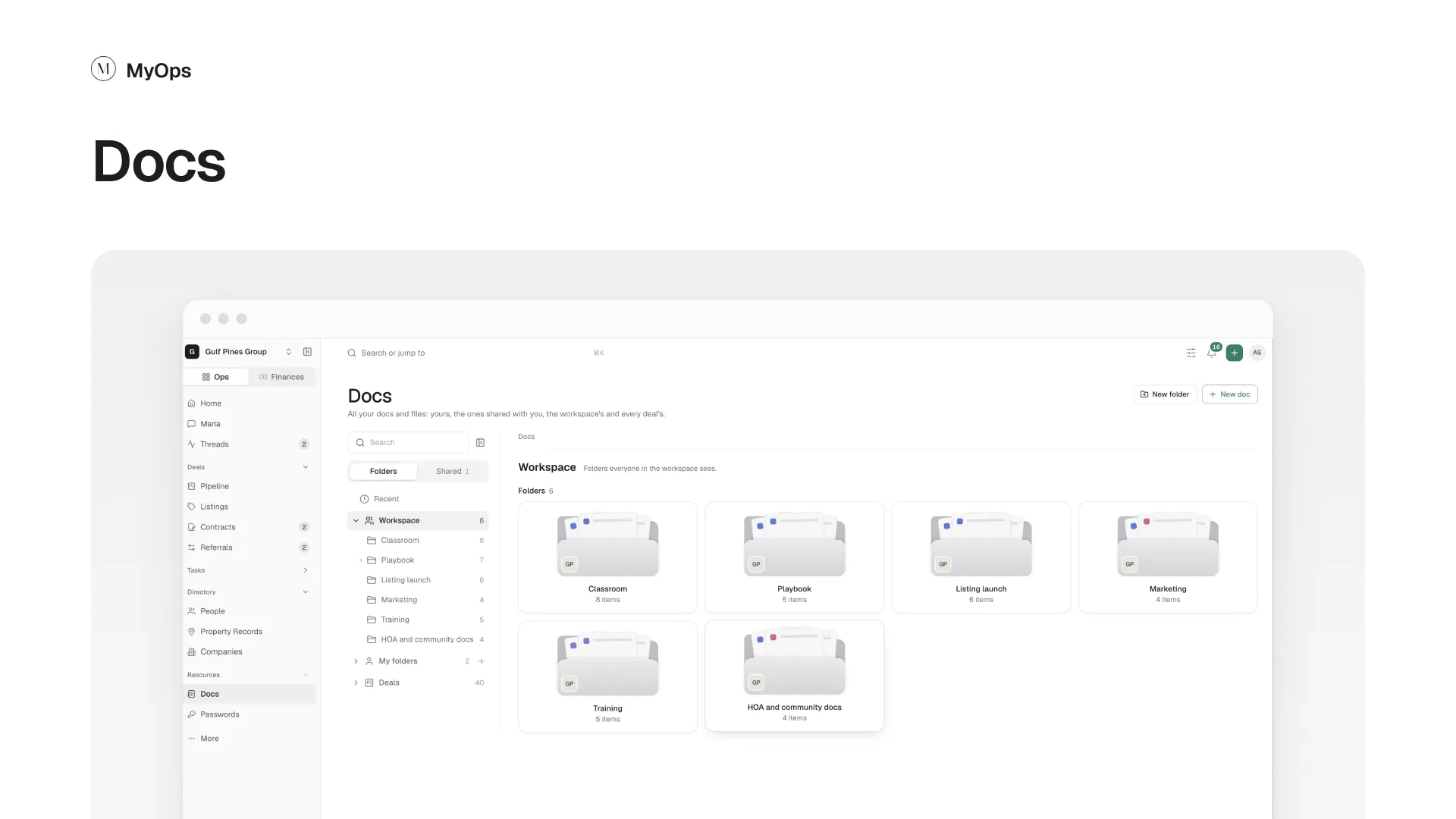
Notes, shared docs and your team’s files move into one Docs area with one editor. Write a doc, share it with the people who need it, and find it again from anywhere.
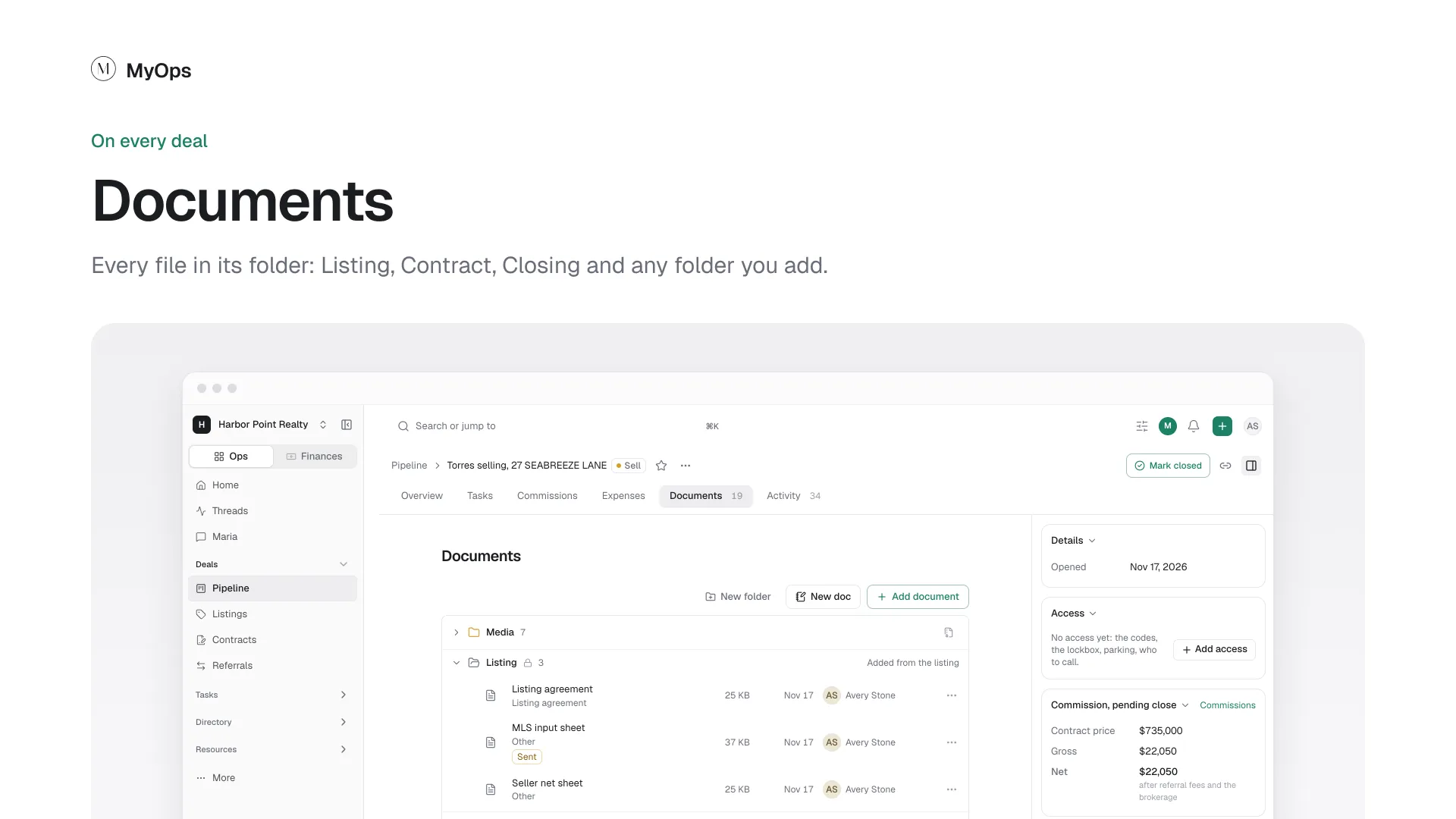
Anything that belongs to a deal also lives on the deal. Its Documents tab keeps every file in its folder (Listing, Contract, Closing and any folder you add), right next to the deal’s tasks, notes and money.
Maria can create things now
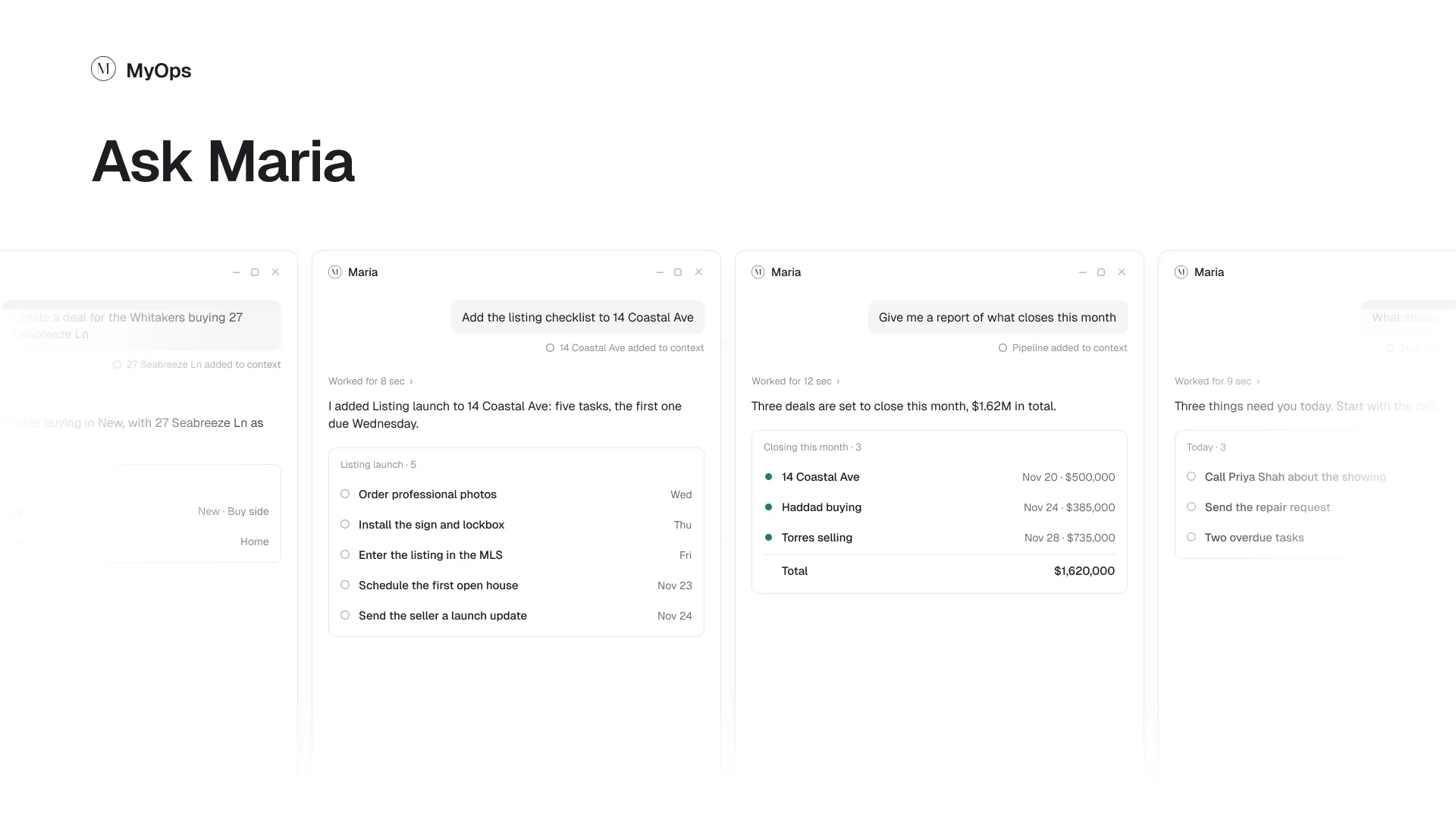
Maria can now do more than answer. Ask her to create a task, a deal or a person, or to update one, and she lays it out on a card for you to check first. Nothing is saved until you say yes.
Creating with Maria is in beta. It’s part of our public beta release, and we’ll keep improving it based on what you tell us.
A new iPhone app
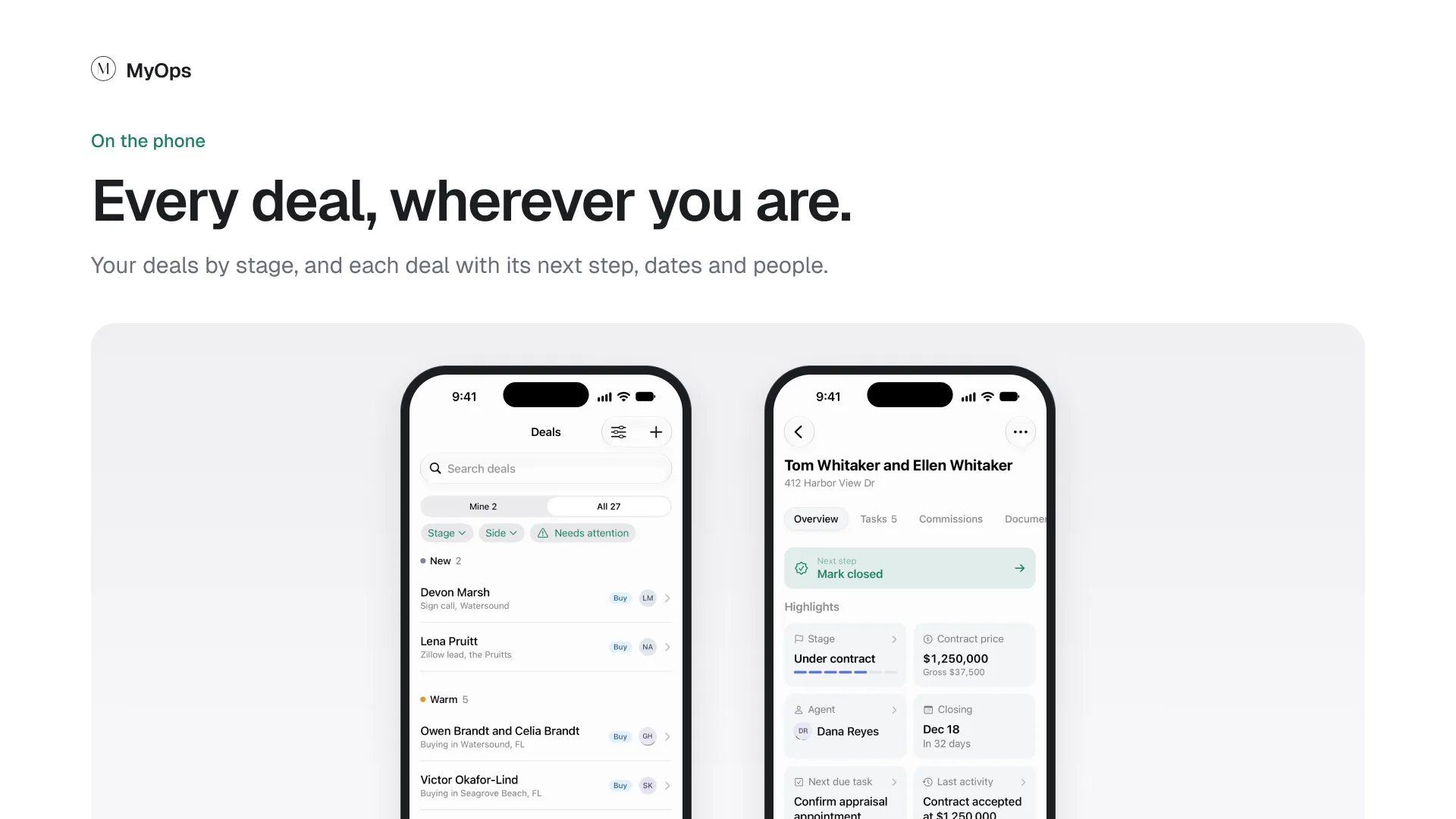
The phone app has been rebuilt from the ground up as a new app, MyOps 2.0. Your deals by stage, and each deal with its next step, dates and people.
Until it’s in the App Store, you get it through TestFlight, Apple’s app for early releases. When your team moves, install TestFlight from the App Store, then open this link on your iPhone: Get MyOps 2.0 on TestFlight. Sign in with the same email you use for MyOps today.
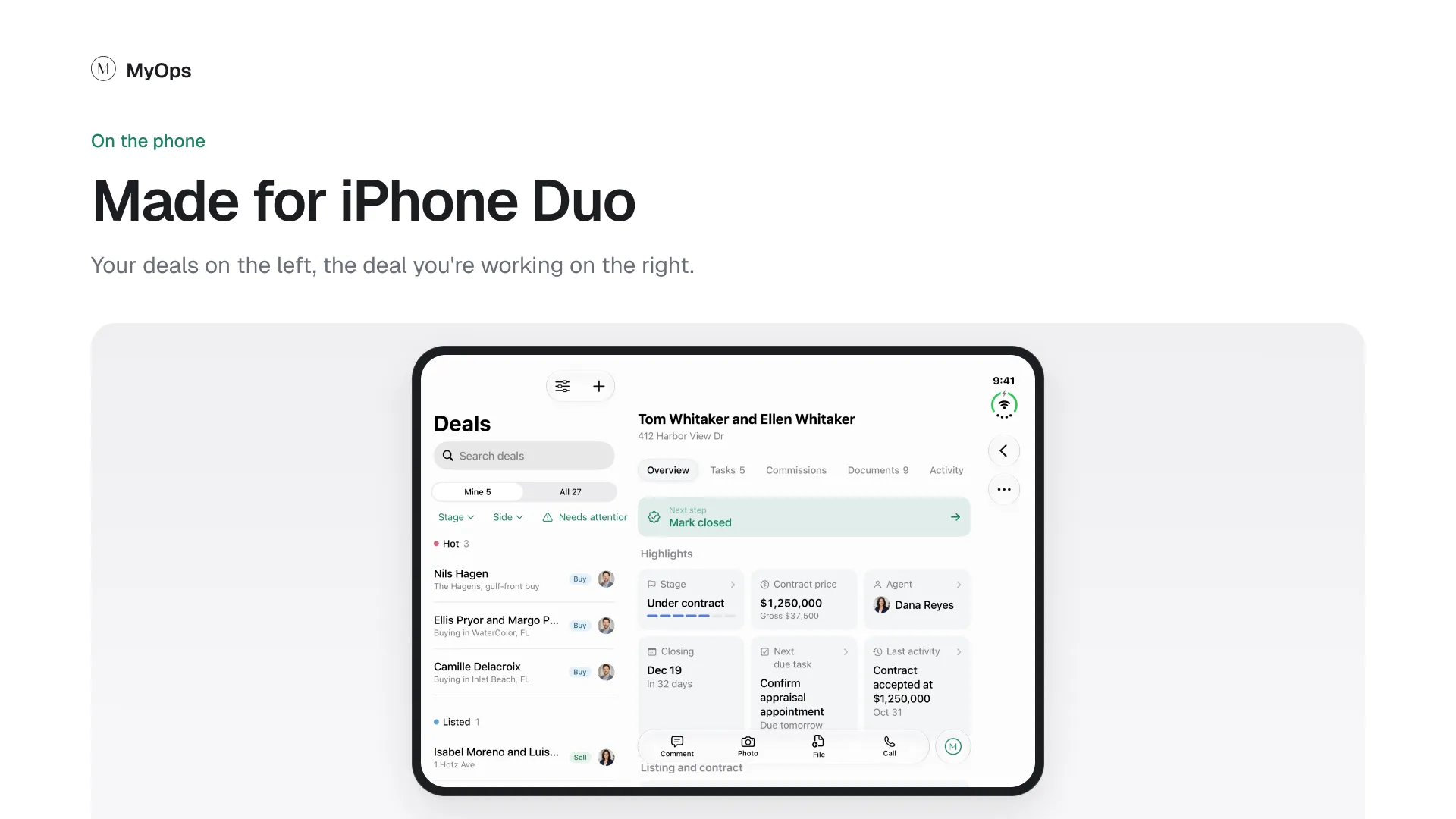
On Android, MyOps 2.0 works in your phone’s browser and can be added to your home screen like an app. We’ll send instructions.
Also changing
-
Contacts are now People. Every buyer, seller, lender and agent across the table is one record, linked to their deals.
-
Sales Tracker and Buyer Needs are folded into Deals.
Get a head start
The help docs for MyOps 2.0 are already up. Read through them to see how deals, Docs, Maria and the Migration Assistant work before your move: MyOps 2.0 help docs. The “Moving from the old MyOps” section is a good place to start.
We’ll be in touch
We’ll email you before your team’s move with the date and anything you need to do. If you have questions before then, reply to any of our emails or message us from the help menu in MyOps.